



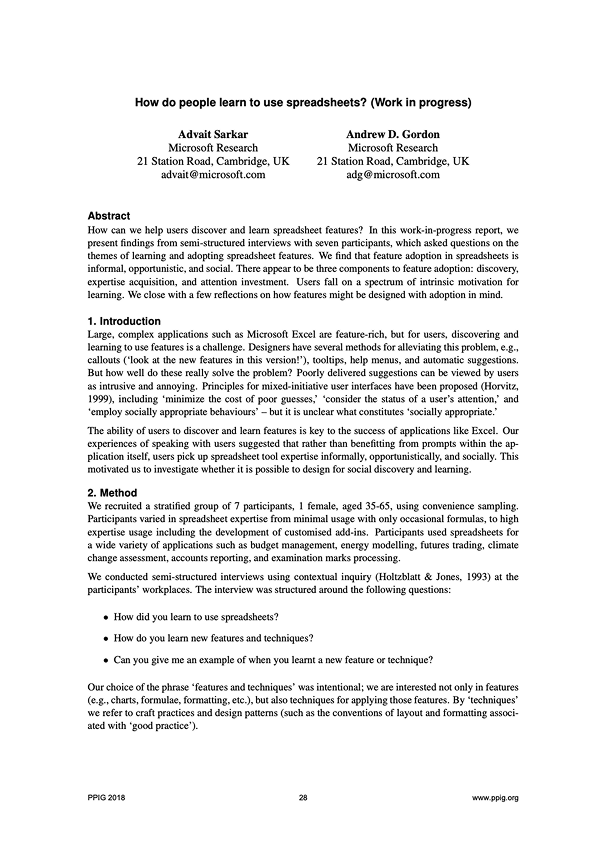
The paper is a neat read on the ideas of user discovery of spreadsheet features and the attention investment tradeoff involved in adopting new spreadsheet features. The ability of users to discover and learn new features is key to the success of applications.
Users pick up spreadsheet tool expertise informally, opportunistically, and socially. Learning is opportunistic because it happens as and when learning opportunities arise in the form of a problem that needs new expertise to be solved or observation/inheritance of existing worksheets. People also learn by seeking help from others. This allows users to learn in context and by example from the interpretations of the problems done by others.
A nice distinction is proposed in the paper to make sense of the different types of spreadsheet users with respect to their motivation as low and high intrinsic motivation based on the attention they are willing to invest to reap benefits later down the line. This seems like a distinction that generalizes to other kinds of software.
Users with high intrinsic motivation “have the ability to realize the need for a feature and formulate search queries that allow them to learn from online fora.” They have a lower threshold for attention investment: they will invest their attention even if there’s a low chance of getting a reward out of the effort they invest to learn new features, whereas those with low intrinsic motivation don’t have such endurance to acquire novel tool expertise. Excel’s flexibility in terms of the number of different ways to achieve the same ends allows people with low intrinsic motivation to cope in different ways. For example, a user can manually type computed data values instead of writing formulae or can apply filters within tables and copy/paste this view instead of learning to use pivot tables.
The paper supplies an interesting table that gives a rubric to distinguish how these behavioral traits in users vary:
| Low Intrinsic Motivation | High Intrinsic Motivation | |
|---|---|---|
| Feature Discovery | Passive discovers features on being informed by a colleague or received as documentation in a spreadsheet | Actively seeks out information in external resources |
| Expertise Acquisition | Informal, opportunistic, and social | Trial and error and less likely to be social. Usage creates learning opportunities |
| Attention Investment | Need strong evidence of reward from using a technique or feature | Bricoleur attitude. Lower threshold for evidence of reward |
Design Implications
By considering the types of motivation in users and the social context around the software, authors go on to suggest certain design choices for the spreadsheet environment.
Design for percolation
The features with a visible presence are more likely to be discovered compared to those that are tucked away under the menubar. It acts as an interesting leverage point for making a semantic distinction between two features that can potentially serve the same end.
As an example, consider the idea of sheet-defined functions, which give the ability to define functions that can be repeatedly made use of throughout the document. It might be tempting for a designer to make this new feature look and feel the same as the existing functions so that a user doesn’t need to think about it when using it. But such equivocation of appearance and functionality goes against the principle of designing for percolation. Since erasing the distinction means that the feature of sheet-defined functions would become less discoverable as it takes away the chance that a user might opportunistically learn about it had the design affordance been percolated in the interface.
This principle underlines the idea that if there are nuanced differences between the two ways of achieving a desired functionality, giving a cognizable distinction between the two modes will open up the space for the users to learn and understand these nuances.
Design for explicit reward
Make the rewards apparent to the user. Authors consider this design principle in a wider social context and suggest including influencers who can communicate the features of a software as part of the user-centric design. This references the idea that features are picked up opportunistically and socially by users.
Summary
Overall, despite the W.I.P. status of the paper, it is a neat read for the low/high intrinsic motivation behaviors of users and for provides some nice guidelines on how to make decisions when designing features for the spreadsheet environment and how the choices made can afford learning opportunities. It emphasizes how considering scaffolding social interaction around the software or stimulating information-seeking behaviours can better integrate with users’ existing learning practices.